Showing posts with label Website Structure. Show all posts

Thursday, September 12, 2024

Remove a Post from a Category

Remove a Post from a Category

And Keep It Visible on a Page

Learn how to remove a post from a category while keeping it visible on a specific page in platforms like WordPress or Joomla. Follow these simple steps to manage your content efficiently without losing visibility on key pages.

To remove a post from a category but keep it visible on a page, follow these steps depending on your platform (e.g., WordPress, Joomla, etc.):

Removing Category Pages For WordPress:
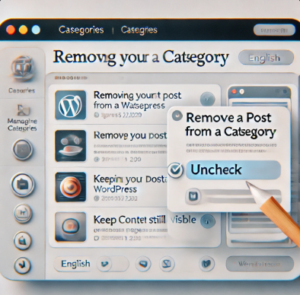
remove category wordpress


  1. Edit the Post:

    • Go to your WordPress dashboard.
    • Navigate to Posts > All Posts and find the post you want to modify.
    • Click Edit.
  2. Remove Category:

    • In the post editor, look at the right-hand sidebar under the Categories section.
    • Uncheck the category (or categories) that you want to remove the post from.
  3. Update the Post:

    • Once you’ve unchecked the category, click the Update button to save your changes.
  4. Keep Post on a Page:

    • If the post is manually added to a page (e.g., through a block, short code, or custom layout), it will remain visible on that page.
    • Ensure that the post is linked or displayed on the page where you want it to appear. This might involve using a page builder or manually linking the post URL in the page’s content.

Other Platforms (General Steps):

  1. Unassign the Category: In your post editor, remove the assigned categories or tags.
  2. Ensure It’s Linked on the Page: Manually insert the post URL or use any tools available on your platform to embed the post on a specific page.

By removing the post from a category, it will no longer appear in category archives but will still be accessible through direct links or its listing on a dedicated page. (includes Joomia)


Wednesday, June 12, 2019

Site Keywords

First Title Header 1

Description: Looking for answers? Talk to your drinking water.  Your drinking water is trying to tell you something. Water has been proven to be a liquid computer and you probably didn’t know its listening. Legacy-eutopia.com

Meta keyword one time. Paragraph’s in bold are in the video. Title, Page Title,

Keyword Page Guide Header 2

  • <ul><li><a href=”#ca7″ target=”_blank” rel=”noreferrer noopener” aria-label=” (opens in a new tab)”>You Will Receive</a></li></ul>
  • Goes Before Landing
  • <a id=”ca7″></a>
  • link keywords
  • 1st 60 seconds make my life better, easier
  • solve problem quickly, safely, better and more conveniently than anything else.

150 Words Header 3

  • All headers are bold.
  • Specific case studies, images, research, charts or other information that can add credibility to your post.
  • Start a description with learn, read, discover

150 Words Header 4

150 Words Header 5
  • Insights from industry leaders in your niche
  • Examples that illustrate the concept you’re talking about (where applicable).
  • Amazon link
Ending Description Header 6

iNSERT Youtube Free

Looking for a Spirit Guide that gives accurate readings? Look no further than Clairaudient Spirit Fairie. Born to speak with spirit and Angels! Click here for a reading.


Wednesday, March 27, 2019

Animated Subscribe Keywords

animated subscribe button green screen download 74

subscribe overlays green screen 67

subscribe button overlay for video 51

how to make animated overlays in powerpoint 48

free green screen subscribe button 41